
Introduction
Ecommerce websites constantly change their products, prices, availability, and customer reviews. Tracking those changes manually can quickly become difficult, especially when a business monitors multiple marketplaces or thousands of product listings.
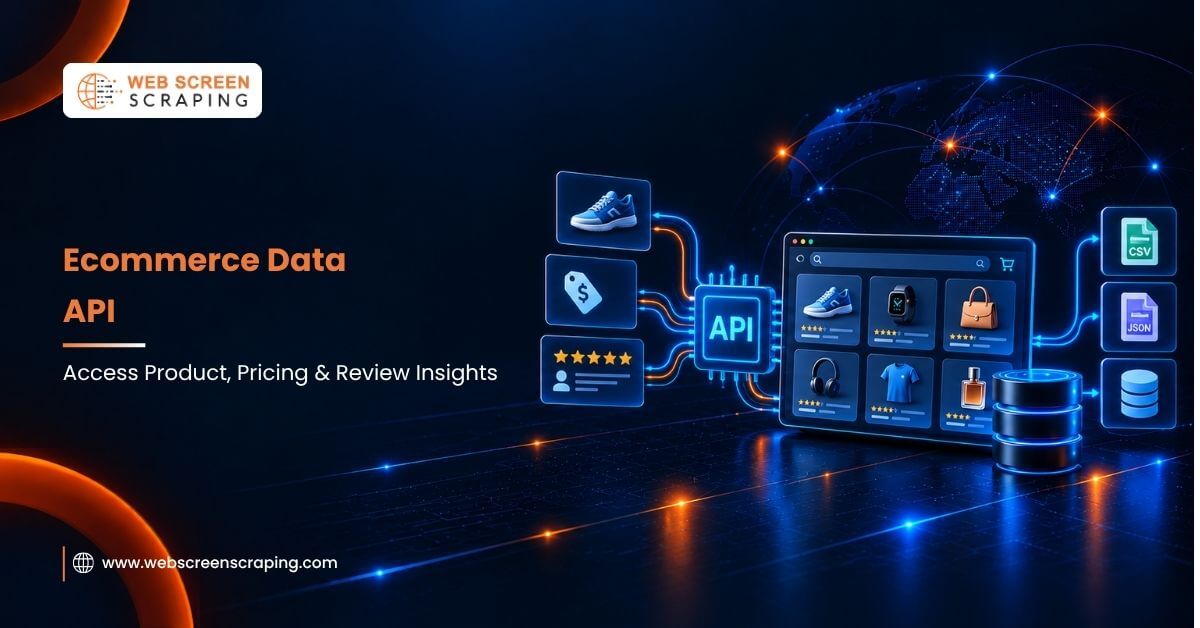
An ecommerce data API provides a more scalable way to collect this information. It allows applications to request structured product, price, seller, availability, and review data and use it in dashboards, databases, analytics systems, or pricing workflows.
For retailers, marketplaces, researchers, and price-comparison businesses, this can reduce manual data collection and make ecommerce intelligence easier to automate.
In this blog, we will explain what an ecommerce data API is, how it works, what ecommerce data you can collect, typical costs, key integration considerations, and how to choose the right API for your use case.
What Is an Ecommerce Data API?
An ecommerce data API is an interface that lets your software request shopping data from another system and receive it in a structured, machine-readable format. Rather than a person opening a browser and reading a product page, your application sends a request, and the API replies with the same information as clean JSON or CSV. Analysts get data they can query in seconds instead of hours.
Think of it as a bridge between ecommerce websites and the systems that use their data. Instead of manually copying information from product pages, your application can request structured data that can be processed by databases, dashboards, analytics platforms, or other applications. Ask for a product, its price, or a batch of reviews, and the fields come back in a predictable shape your code can parse right away. Manual copying disappears, transcription errors drop close to zero, and your dataset stays current around the clock.
How Does an Ecommerce Data API Actually Work?
Most of these tools follow a REST pattern. You authenticate with an API key, send an HTTP request to a specific endpoint, and read a JSON response. Here is a call to fetch a single product:
| GET https://api.example.com/v1/product?url=https://store.com/item/123 Authorization: Bearer YOUR_API_KEY |
A trimmed successful response might return:
| { “product_id”: “123”, “title”: “Wireless Noise-Cancelling Headphones”, “brand”: “AcmeAudio”, “price”: { “current”: 149.99, “currency”: “USD”, “list_price”: 199.99 }, “availability”: “in_stock”, “rating”: 4.6, “review_count”: 2847, “status”: 200 } |
Behind that reply sit four stages: request and authentication, retrieval through rotating proxies, parsing raw HTML into fields, and delivery with an HTTP status code so your pipeline knows whether to store the result or retry.
Ecommerce Data API Authentication Methods
Providers secure their endpoints in a few common ways, and knowing which one you face shapes your setup:
- API key in a header: the simplest option, where you pass a key such as X-API-Key on every call.
- Bearer tokens: A token included in the request header to authenticate API calls. Some providers use OAuth 2.0 or other token-based authentication schemes.
- Query-string key: a key appended to the URL itself, quick to test but less secure for production.
Handling Pagination
Large catalogs never fit in one response, so the API returns results in pages. A cursor-based pattern looks like this:
| GET /v1/search?query=headphones&limit=50&cursor=eyJwYWdlIjoy |
The response includes a next_cursor value, which you feed into the following request until it comes back empty. Your application continues requesting pages until the API no longer returns a cursor. This approach allows large product catalogs to be collected without placing the entire dataset into a single response.
Reading Error Responses
Failed calls carry their own JSON, and your code should branch on them rather than assume success:
| { “status”: 429, “error”: “rate_limit_exceeded”, “message”: “Quota reached. Retry after 60 seconds.”, “retry_after”: 60 } |
A 429 means slow down, a 503 means the target is temporarily unavailable, and a 403 indicates that the server is refusing the request, which can occur for several reasons, including authorization or access restrictions. Sensible pipelines pause, back off, and retry instead of hammering the endpoint.
Unlock the Power of Ecommerce Data
Access product, pricing, and review insights to drive smarter retail decisions.

A Basic Integration Workflow
Wiring one of these APIs into a live system usually follows five steps:
- Authenticate by storing your key in an environment variable, never hard-coded in the script.
- Request the target products, either by URL, product ID, or search keyword.
- Paginate through every page until the cursor returns empty.
- Validate each response by checking the status code and required fields before saving.
- Store or trigger, writing clean rows to your database or firing a webhook when a tracked price moves.
Why Do Businesses Need Product, Price, and Review Data?
Ecommerce data can support several operational and analytical workflows, from competitor price monitoring to catalog enrichment and customer sentiment analysis. A reliable web scraping API opens a live window into the market, and that visibility explains why adoption keeps climbing. Here are the reasons teams put money behind it.
The Business Value in Plain Terms
- Competitive pricing. When a rival drops a price at 2 p.m., you want to know by 2:05, not next week. Live tracking makes that possible.
- Inventory awareness. Some items sell out in days while others sit for a quarter, and stock signals tell you which is which.
- Customer sentiment. Reviews are where shoppers say what they actually think, so review data is your early warning for a product going sideways.
- Market research. Category trends, watched over a few months, hint at what to launch and when to time a seasonal push.
- Catalog enrichment. Missing a spec sheet or a clean product image? Trusted sources can fill those gaps for you.
Every one of these benefits circles back to a single idea, that decisions grounded in evidence beat decisions built on hunches. A dependable ecommerce data feed replaces the shrug with a spreadsheet.
What Kind of Data Can You Extract?
A capable ecommerce scraper API returns far more than a title and a number. This table maps the four main data types, the fields inside each, and a real use case for every one.
| Data Type | Common Fields Extracted | Typical Use Case |
| Product Data | Title, brand, SKU, description, category, images, specifications | Catalog building and listing enrichment |
| Price Data | List price, sale price, discount percent, currency, stock status | Dynamic repricing and competitor monitoring |
| Review Data | Rating, review text, reviewer name, date, verified status, helpful votes | Sentiment analysis and quality control |
| Seller Data | Seller name, rating, location, fulfillment type, return policy | Marketplace and vendor benchmarking |
One field people underuse is review_date. Pair it with rating over time, and you can spot a quality drop long before it shows up in support tickets. Imagine an apparel line where the average rating slides half a star across three weeks; that curve often points to a sizing defect a brand has not yet caught internally.
Should You Build or Buy an Ecommerce Data API?
This question stalls most teams. Building your own scraper hands you total control but demands engineers, proxies, and never-ending maintenance. Buying a managed data extraction API trades a little control for speed and stability. The comparison below leans on what actually breaks in production.
Building In-House
- Full control: every field, format, and schedule stays in your hands.
- Ongoing burden: blocked requests, layout changes, and captchas need weekly fixes. A single marketplace redesign can void a parser overnight.
- Higher hidden cost: engineering hours usually dwarf the price of a paid tool.
Buying a Managed API
- Faster start: clean data flows within hours, not weeks.
- Built-in defenses: proxy rotation, JavaScript rendering, and anti-bot handling ship included.
- Predictable pricing: clear monthly tiers make budgeting painless.
For many small and mid-size teams, a managed product data API can be more practical when reducing development and maintenance overhead is a priority. Larger organizations with specialized requirements may prefer an in-house or hybrid approach.
How Much Does an Ecommerce Data API Cost?
Ecommerce data API pricing typically depends on request volume, target websites, concurrency, proxy requirements, JavaScript rendering, geographic coverage, and refresh frequency. Entry-level plans may be suitable for testing, while high-volume workloads can cost significantly more. Before comparing providers, calculate your expected requests, pages, products, refresh frequency, and required success rate.
- Entry tier: many providers open at $25 to $49 per month for small volumes.
- Growth tier: mid-range plans cluster near $99 per month with roughly one million API credits.
- Business tier: high-volume plans hit $599 per month or more, bundling eight million credits and heavy concurrency.
- Free trials: a large share of vendors offer 250 to 1,000 free calls with no card required.
Sticker price tells only half the story. An in-house route adds proxy fees, which can run $300 to $1,000 or more per month at scale, along with server time and developer salaries that quietly dominate the total. Counted honestly, a paid scraping API frequently lands cheaper than the DIY alternative.
What Are the Best Practices for Ethical Data Extraction?
Responsible scraping protects your brand and the sources you depend on. Following a few sensible rules keeps your ecommerce data collection clean, legal, and built to last.
- Prefer publicly accessible data: Focus on information that is publicly available and avoid bypassing authentication, access controls, or other technical restrictions. Public availability does not by itself determine whether a particular use is legally permitted, so review applicable laws and website terms before collecting or using data.
- Go easy on the servers: Check and respect applicable crawling directives, including robots.txt, while also reviewing the site’s terms and relevant legal requirements. Hammering a server helps no one, and it gets you blocked fast.
- Read the terms first: Five minutes with a site’s terms of service can save you a legal headache later. Worth doing before you write a single line of code.
- Handle personal data with care: If collected data contains personal information, evaluate applicable privacy obligations, retention requirements, lawful-use considerations, and data-minimization practices.
- Keep audit records: Document collection dates, sources, fields collected, processing activities, and retention policies so your data pipeline is easier to review and manage.
With these habits in place, your web data extraction process stays smooth and defensible even as volume grows. Our internal walkthrough below covers the compliance side in more detail.
Ecommerce Data API vs. Official Marketplace API
| Factor | Official Marketplace API | Third-Party Data API |
| Data source | Platform’s own API | External ecommerce websites |
| Access | Subject to platform permissions | Depends on provider/site |
| Data coverage | Usually limited to supported resources | Can cover multiple websites |
| Integration | Platform-specific | Often standardized |
| Maintenance | Managed by platform | Managed by provider |
How Do You Choose the Right Ecommerce Data API?
No single provider fits every goal, so run each candidate through a short checklist before you sign anything.
- Does it cover your marketplaces? A tool that scrapes Amazon beautifully is useless if you sell mostly on Etsy. Check the exact sites and regions you care about.
- Ask providers for documented success rates across the websites, regions, and request types relevant to your workload. Evaluate how performance is measured rather than relying on a single headline percentage.
- Is the data fresh enough? A repricing engine needs updates by the hour. Monthly research can live with a slower cadence. Match the refresh rate to your actual use.
- Will it fit your stack? JSON, CSV, webhooks- whatever your pipeline already speaks, the output format should slot in without a translation layer.
- What happens when you get stuck? Responsive support, real documentation, and sample code separate a provider you can grow with from one you’ll fight.
A provider strong across these five areas serves you far longer than one picked on price alone. Fit the tool to your workflow, not your workflow to the tool.
Final Thoughts
An ecommerce data API provides a scalable way to collect and work with product, price, availability, seller, and review data across ecommerce sources. Instead of relying on manual tracking, businesses can integrate structured data into databases, dashboards, pricing systems, research workflows, and analytics platforms.
The right solution depends on your data volume, target websites, refresh frequency, technical requirements, budget, and compliance considerations. Before choosing a provider, test the API against a representative set of products and measure data accuracy, freshness, reliability, response time, and total cost.
For businesses that want to automate ecommerce data collection without managing the underlying infrastructure, a managed ecommerce data solution can reduce development and maintenance overhead while providing data in a format that fits existing workflows.
FAQS
How does an e-commerce data API work?
Most e-commerce data APIs use a REST pattern where an application authenticates with an API key that then sends an HTTPS request and in return gets structured data, generally in JSON format.
What is an e-commerce data API?
An e-commerce data API is an interface that lets software request product, price, seller, availability, and review data from online retail and e-commerce platforms.
What types of e-commerce data can API collect?
An e-commerce API can help you extract the following data from e-commerce platforms:
-Product,
-Price,
-Seller,
-Availability,
-And review
What are the benefits of using an e-commerce data API?
With the help of an e-commerce data API, businesses can automate data collection for competitive pricing, inventory awareness, customer sentiment analysis, market research, and catalog enrichment.
What should businesses consider when choosing an e-commerce data API?
Businesses should evaluate marketplace coverage, documented success rates, data freshness, output formats, technical compatibility, documentation, and customer support.